

- Setup your first Agent endpoint by following the Getting Started page.
- Install the following packages to define tools:
Models
Themodel is responsible for deciding which tools to call and generating the final response
First, add QSTASH_TOKEN and OPENAI_API_KEY to your environment:
baseURL and apiKey:
create<Provider> methods exported from provider packages. For example, in order to use Anthropic you can do the following:
agentCallParams parameter:
agents.AISDKModel as the agentCallParams parameter.
Tools
Next, we will define the tools that our agents will use. The Agents API is compatible with both AI SDK and LangChain tools. This means you can either:- Use existing tools that are compatible with these SDKs.
- Define your own custom tools that are compatible with these SDKs.
context.run to run them as a Workflow step. This means, you can’t use steps like context.call, context.notify etc in execute/invoke right away. If you want to define steps in invoke/execute, you can use the executeAsStep option:
Agents
After defining a model and tools, we can define agents. Agents are essentially LLM models with access to a set of tools and background knowledge. In Upstash Workflow, agents are defined like this:route.ts
model: The LLM model that the agent will use.name: The name of the agent. This name will be used when naming the context.call steps for this agent.context.callis used when calling the LLM provider (such as OpenAI).maxSteps: The maximum number of times this agent can call the LLM provider (e.g., OpenAI).tools: The list of tools available to the agent for completing tasks.background: A description of the agent, which is used as a system prompt to provide context for the agent’s behavior.
Tasks
Now that we have agents defined, the only thing left is to assign tasks to them. A task is simply a prompt passed to the agent. There are two ways to create a task:- Single Agent Task: The task is assigned to a single agent, which will complete it using the tools available to it.
- Multiple Agent Task: A manager agent is used to decide which agents will be involved and in what order. The manager agent makes this decision based on the task prompt, the agents’ backgrounds, and the tools available to them.
Single Agent
Single Agent
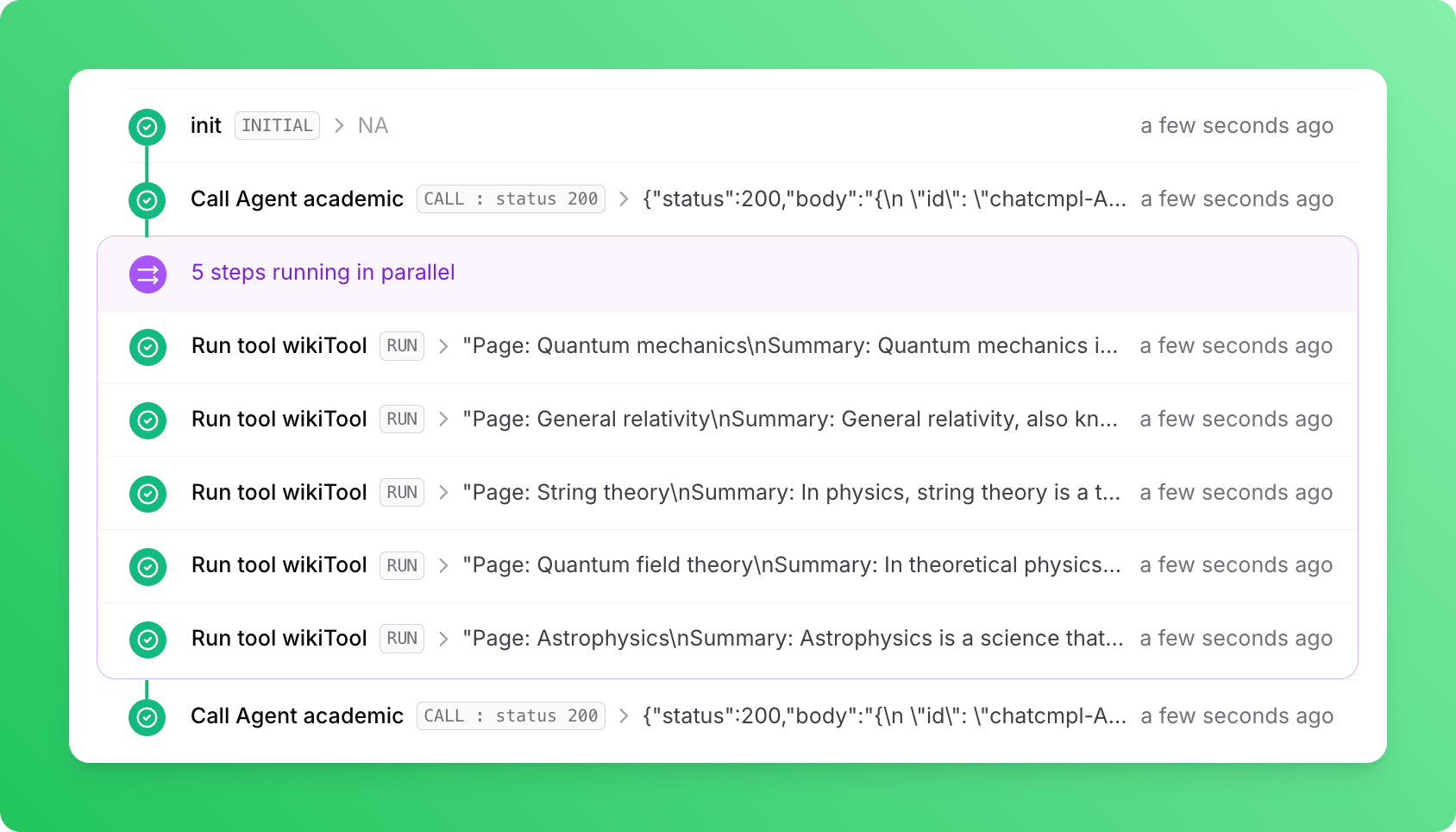
Multi Agents
Multi Agents
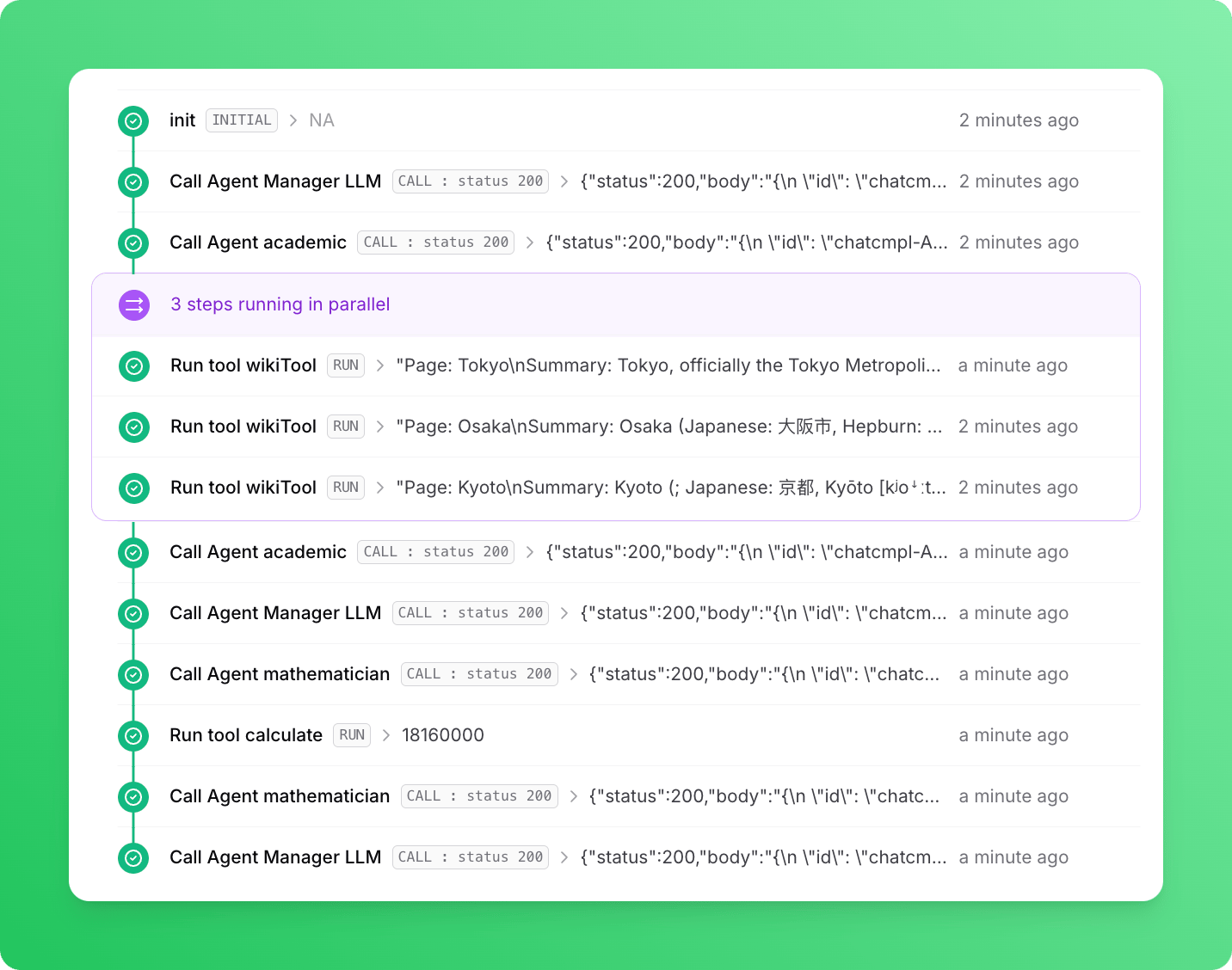
Manager LLM first called the academic agent. The academic agent used the wikiTool three times, each with a different Japanese city, and summarized the results. Next, the Manager LLM called the mathematician agent, which used its calculate tool to compute the total population of the three cities and returned the result to the Manager LLM. With information about the cities and their total population, the Manager LLM generated the final response.